Weekly report
Turn your week into a practical next step.
Kexo reviews your meals, activity, weight, sleep, and personal notes together. Your weekly report highlights patterns in your records and suggests what to focus on next, in the coaching style you chose.
Last reviewed September 6, 2026. Author: Jozef Toth. iPhone app and browser app.
Generate it
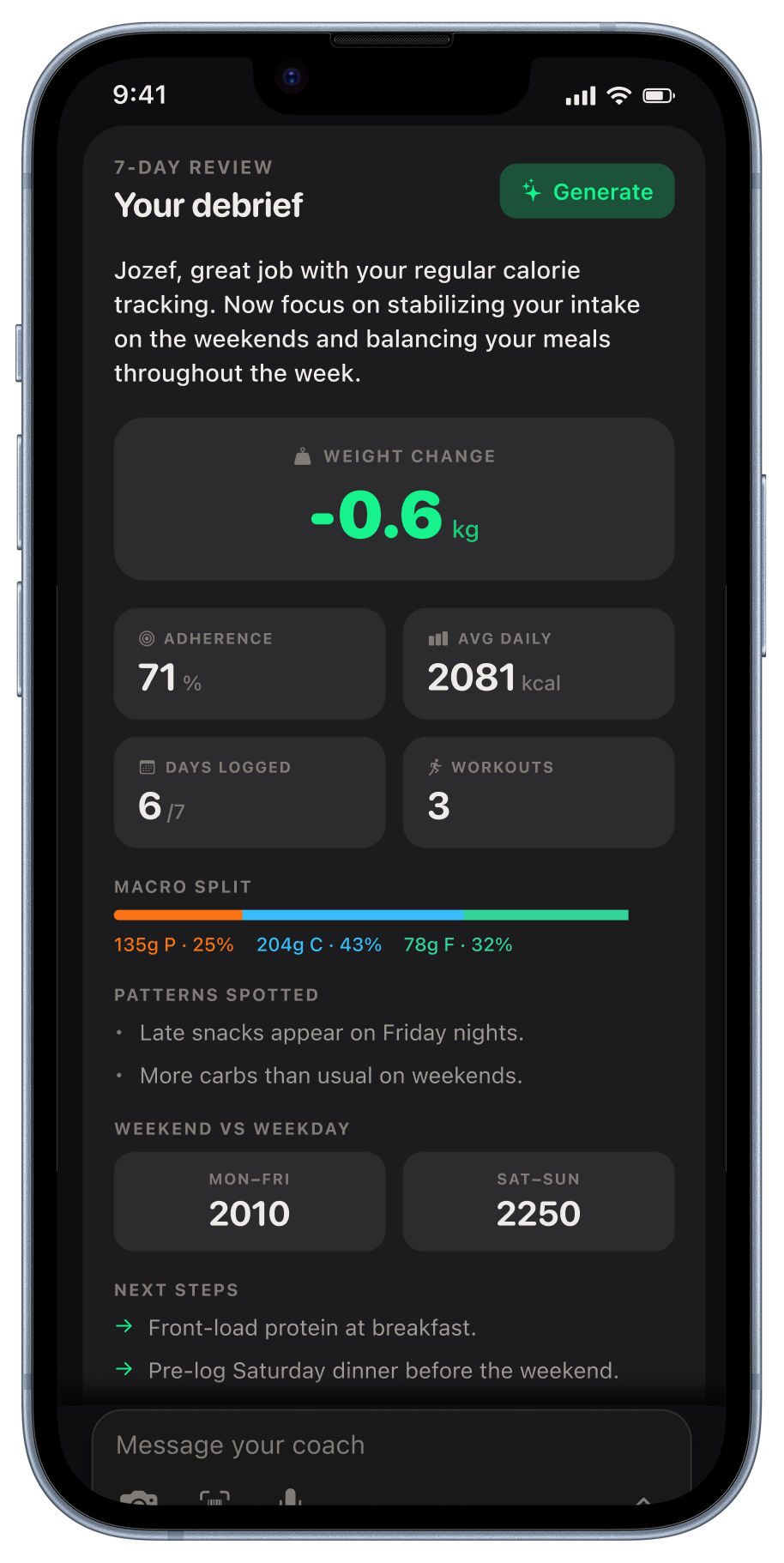
Open Week view and tap Generate in the Weekly Review card. Kexo reviews your records from the last seven days.
Read it
Review weight changes, days on target, average daily calories, logging consistency, and workouts. Explore patterns, compare weekdays with weekends, and choose a next step. The tone follows the coach personality you picked.
Share your report
Create a summary image to share from your phone, or download it as a PNG. You can also copy the report as text.
The records behind your report
Kexo uses logged meals, workouts, weight, water, sleep, digestion, personal notes, and streaks, with a comparison to the previous week. A more complete record gives the coach more context.
Find your report in Week view
Look for the weekly report section at the bottom of Week view. A short summary can also appear in chat, with a button to open the full report.
Found an error on this page? Tell us. We will date-stamp a correction.
Related: Guide · Widgets · How to refine a meal estimate · Week view · Coaches · Adaptive expenditure