Day view
See how your meals fit into today.
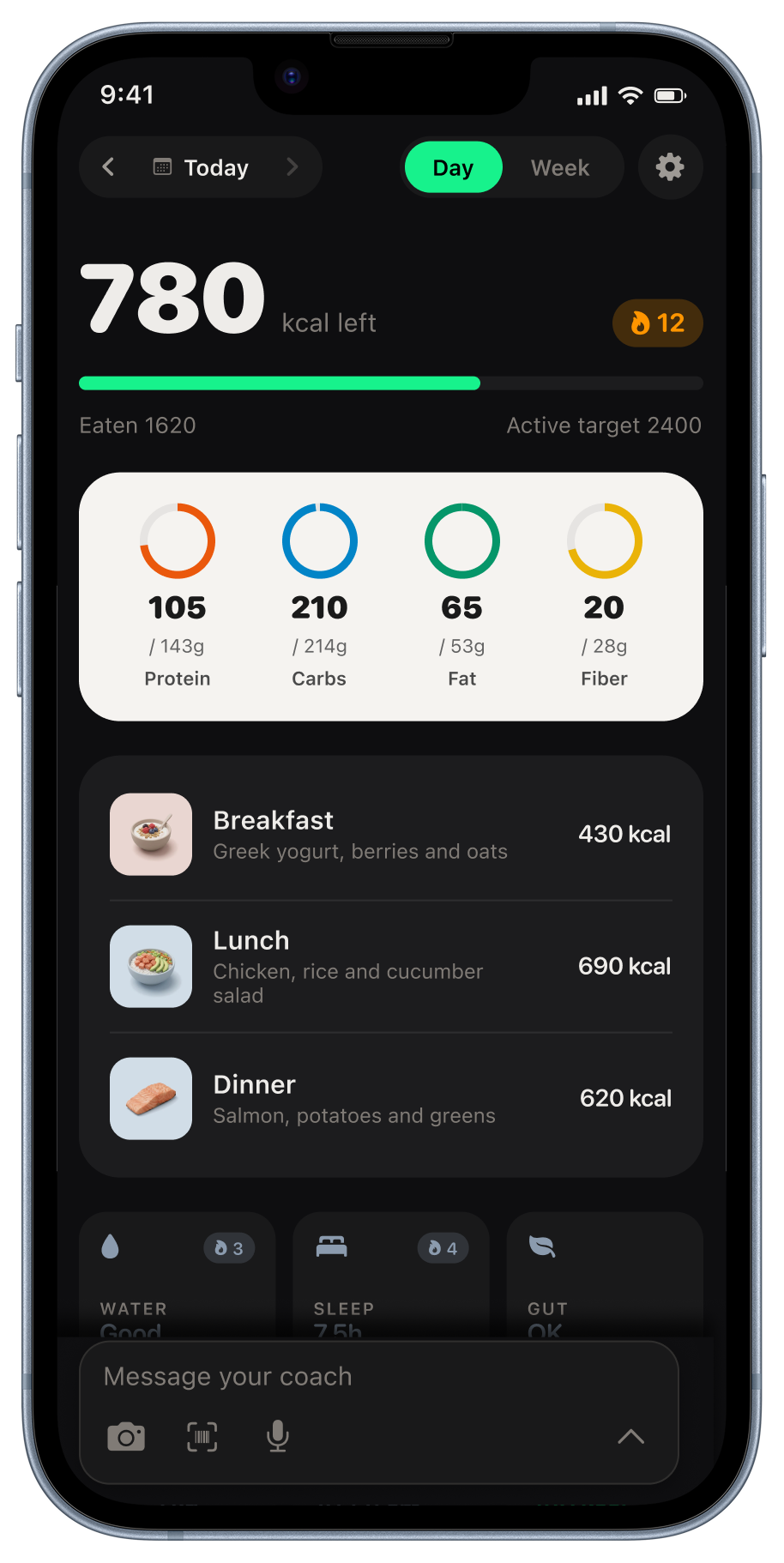
Meals you log in Kexo’s chat come together in Day view. Check calories and macros against your target, review meal details, and add water, sleep, or a weigh-in without losing track of your day.
Last reviewed September 6, 2026. Author: Jozef Toth. iPhone app and browser app.
Daily calorie summary
See calories remaining or the amount above your target, with a progress bar underneath. Kexo shows whether today uses the rest-day or active-day target. Logging a workout switches the day to the active target.
Macro rings
Compare protein, carbs, fat, and fiber with your daily targets. You can also keep these four values on your Home Screen with the Macros widget.
Today's meals
Review breakfast, lunch, dinner, and snacks with their photos or food icons. Tap a meal to edit an item, remove an entry, or save the meal as a shortcut.
Tap-to-log cards
Add water, sleep, digestion, weight, and waist measurements with a tap. You can also log these details in chat, alongside your meals and questions for the coach.
Coach note
With enough records, Kexo highlights a pattern worth reviewing, such as differences between lunch and dinner or weekday and weekend intake. The note uses your logged numbers and changes over time.
Four streaks
Follow your streaks for logging, calorie deficit, exercise, and water. During your first week, focus on building a logging routine.
Found an error on this page? Tell us. We will date-stamp a correction.
Related: Guide · Widgets · How to refine a meal estimate · Week view · Weekly report · Apple Watch